

How It Works
With nothing to wear, nothing to charge, no microphones. Professionally installed.
HOME
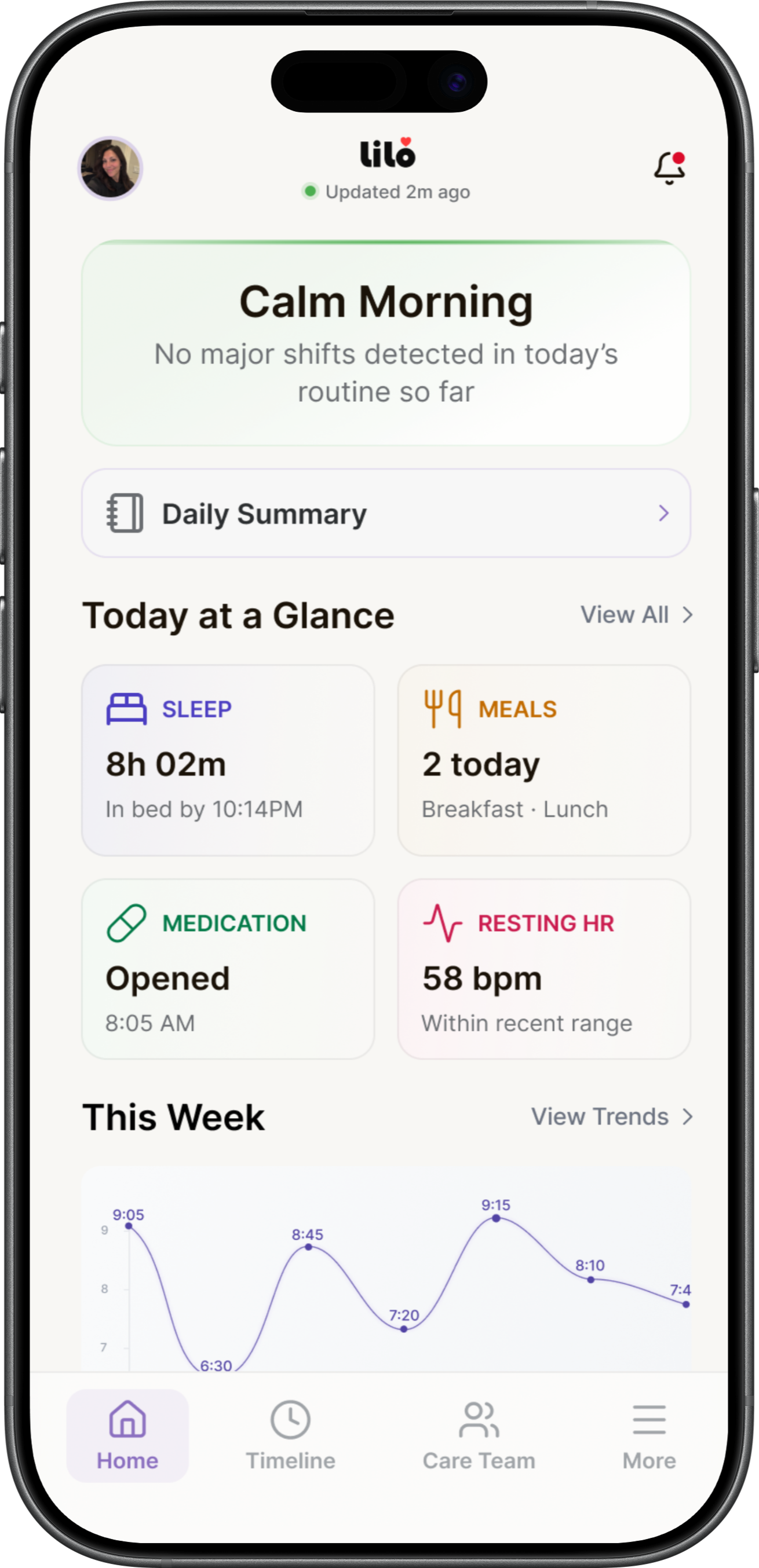
How’s Mom today?
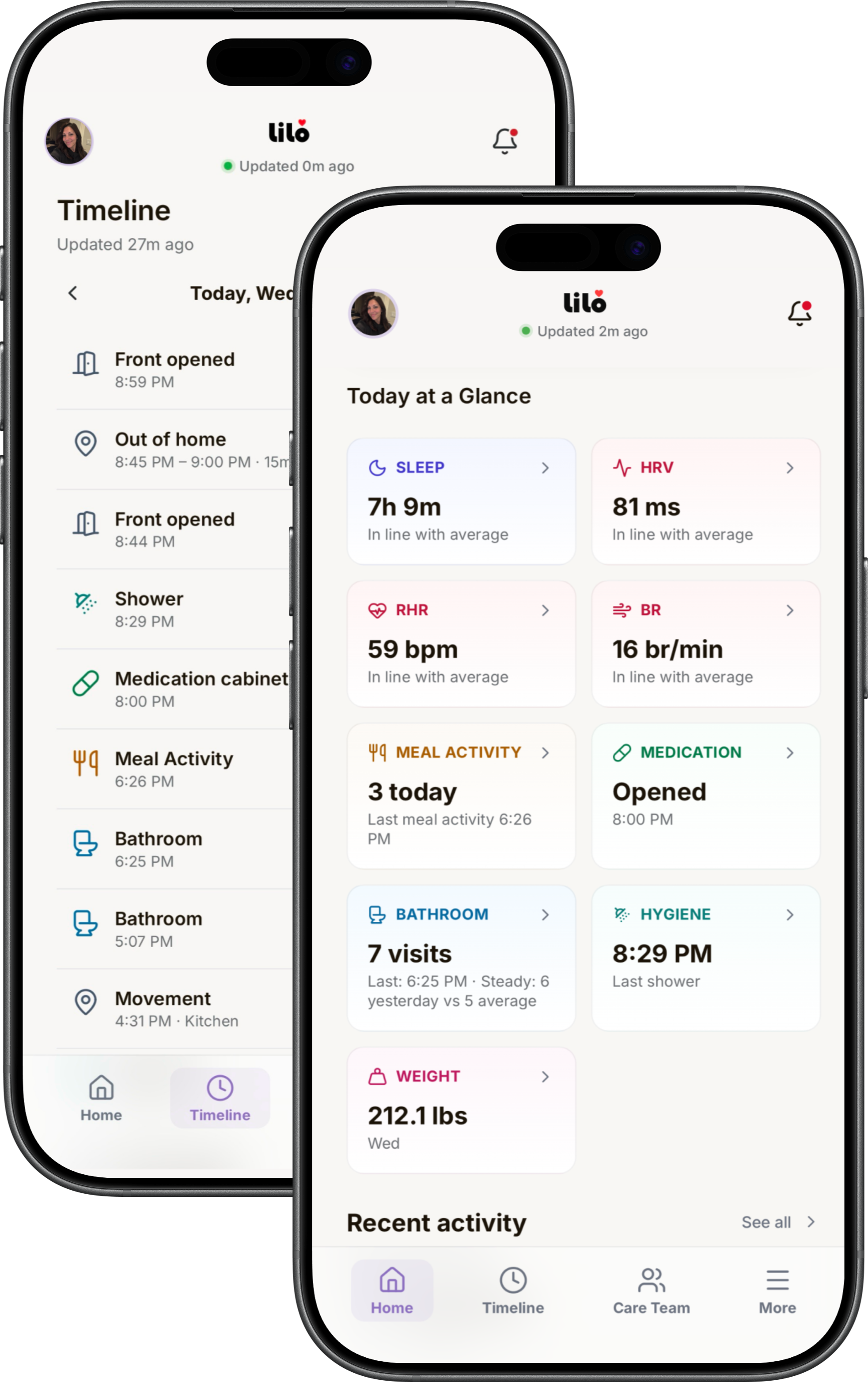
A single line at the top of the app says how the home is. Beneath it, nine cards give the whole picture at a glance: each with its reading, and how recent that reading is.
TIMELINE
How the day went.
- Every detected event in order, with its own time.
- MovementSomeone is up and moving through the home.
- Kitchen ActivityActivity in the kitchen consistent with a meal.
- Medication Cabinet OpenedSo a missed dose is something you notice the same day.
- Bathroom VisitEach visit through the day, in the order it happened.
- ShowerConfirmed by the humidity it produced.
- Entry/Exit DoorA door to the outside opening, coming or going.
- Quiet StretchA longer than usual span with nothing detected.
- Weigh InA weight taken at home, on the day it belongs to.
- Leaving and returning take their place in order, and a whole outing reads as one entry.
- And a written summary of how the day went, composed by LiLo from the last twenty-four hours.
SLEEP & OVERNIGHT
After Dark
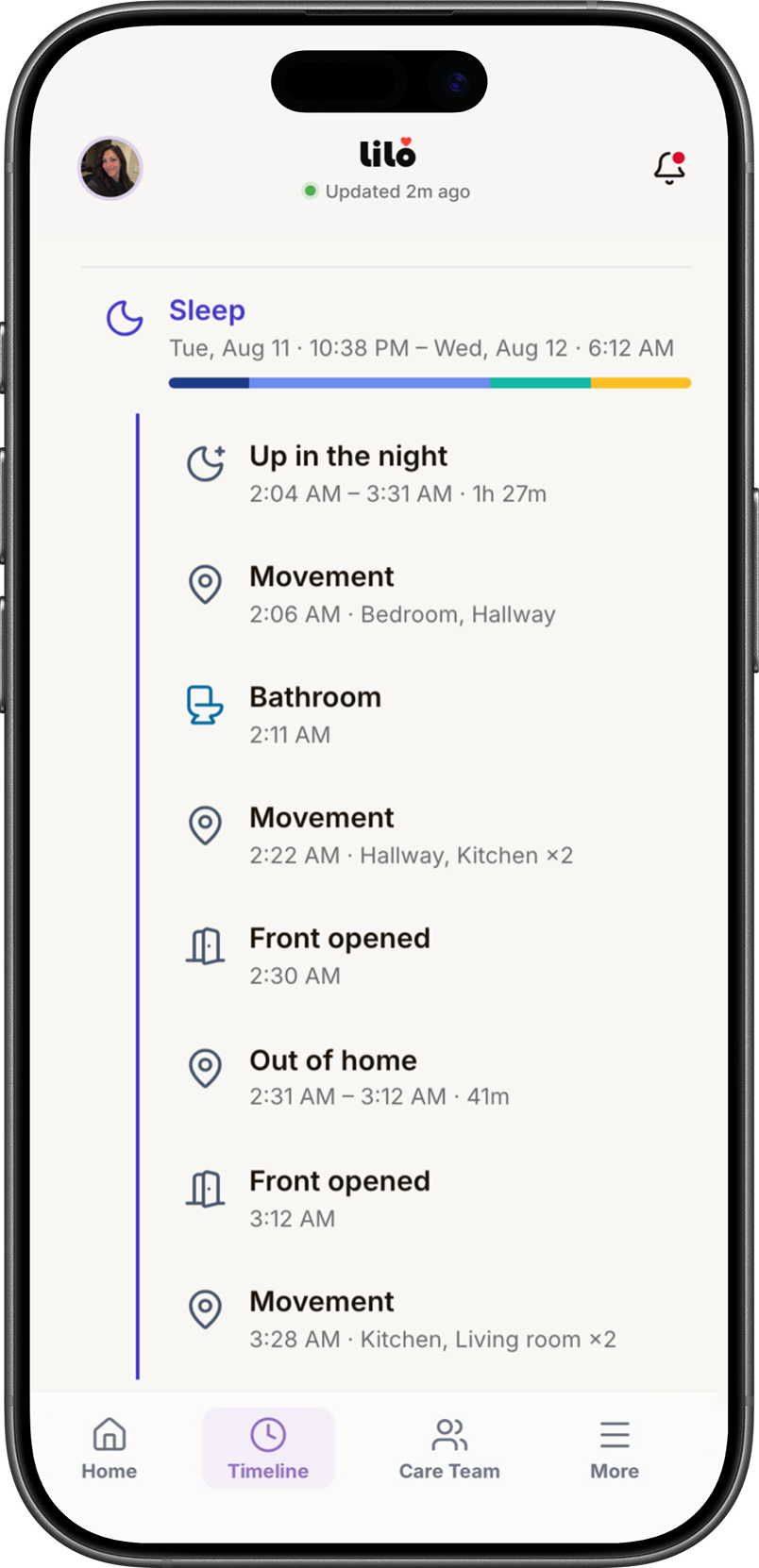
The night is the stretch of the day nobody is there for. It reaches the Care Team the same way the rest of the day does.
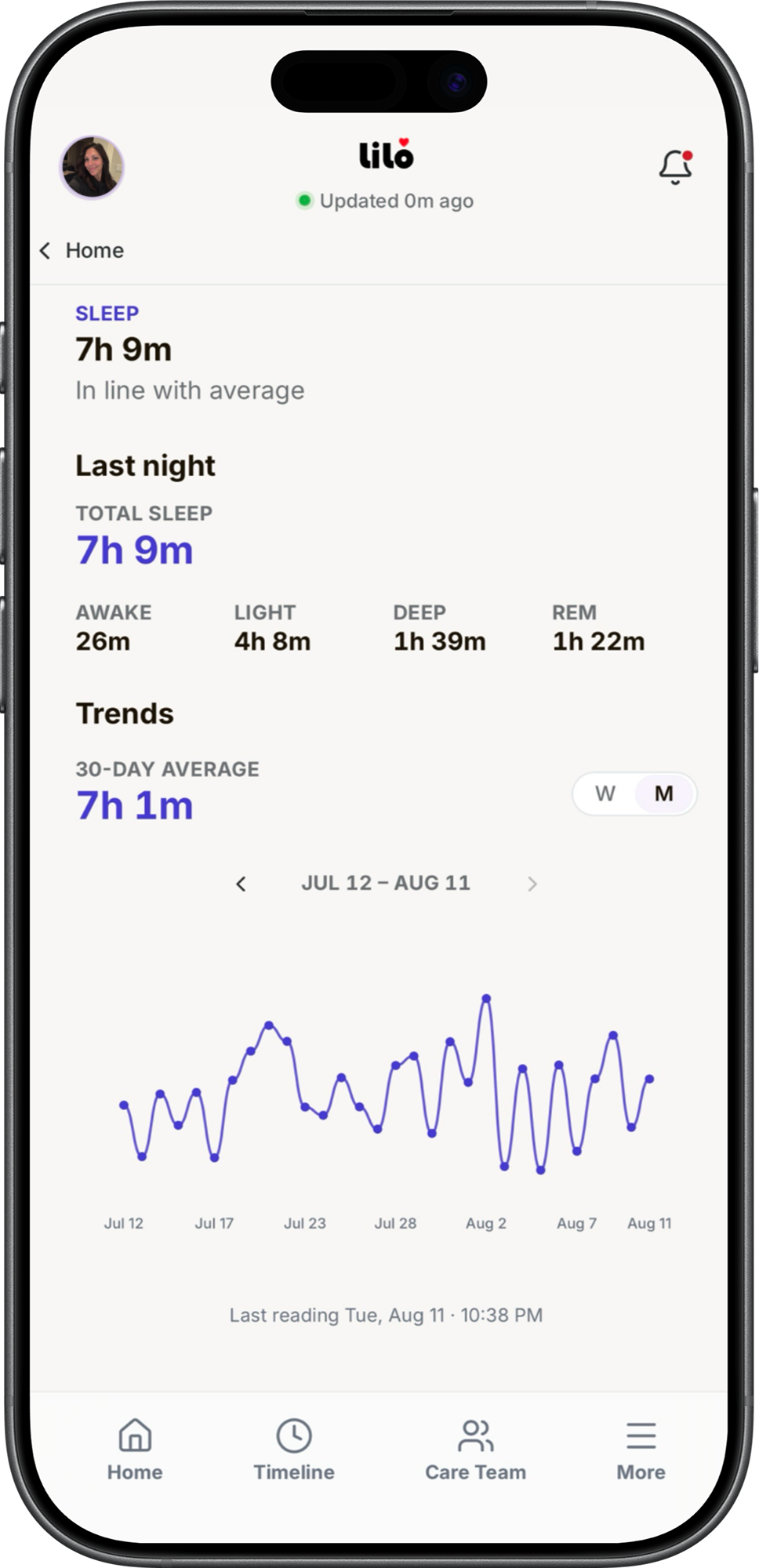
- SleepStages, time asleep, and the vitals underneath.
- Up in the NightOut of bed and not back yet, tracked on its own.
- Night DepartureGone from the home, held open until the return.
- Entry/Exit Door OpenedA door to the outside, at the hour it counts.
- MovementRoom by room, so a night trip has a shape.
- Bathroom VisitA trip at 2 a.m. reads as a trip, not a wander.
- Kitchen ActivityA meal at an hour that isn't mealtime.
- Up for the DayThe morning rise that closes the night out.
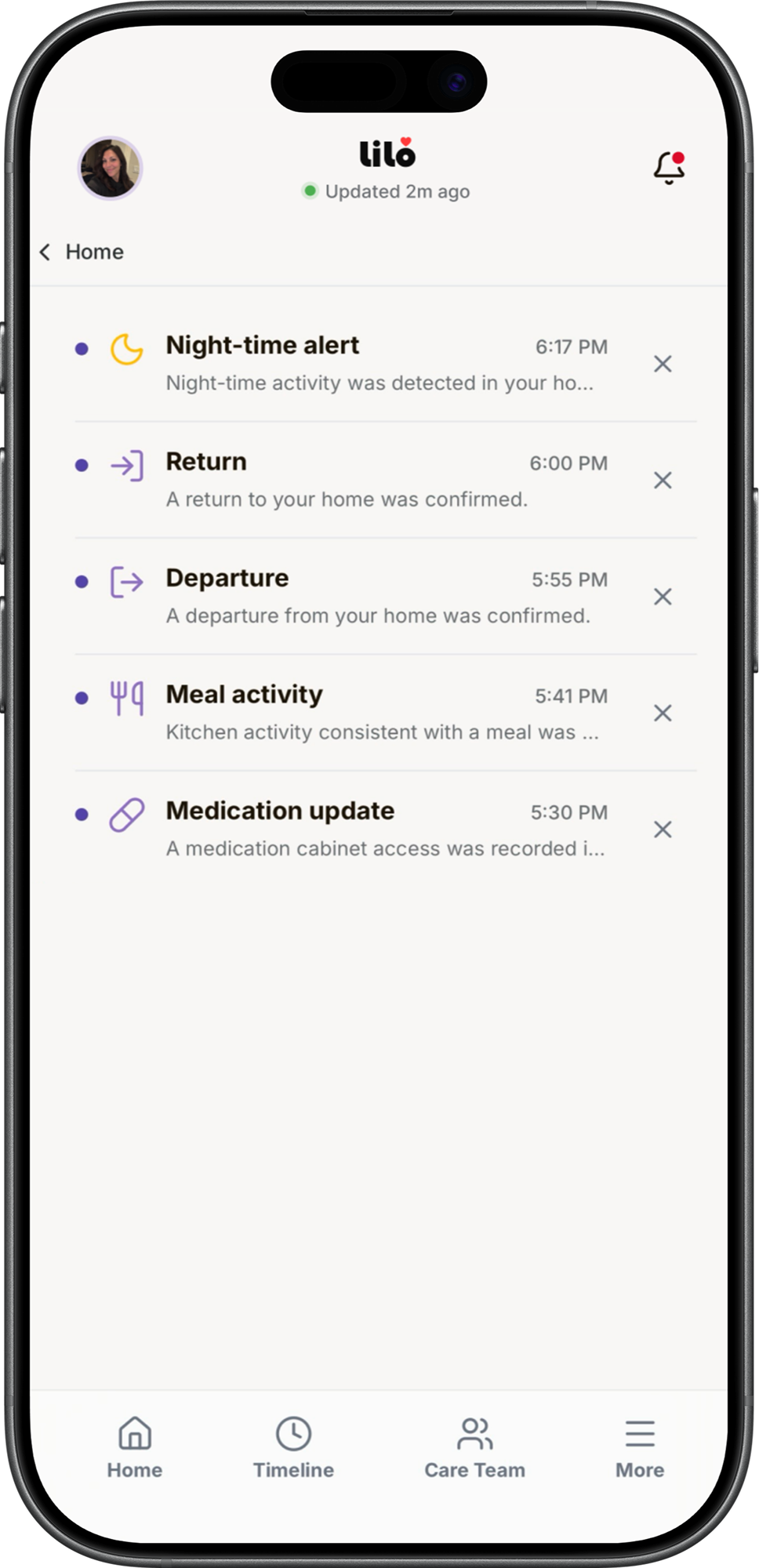
Being up in the night and not returning to bed reaches you that night, not in the morning.
A departure from the home after dark is the most serious thing LiLo can tell you, and it is one of the few alerts that cannot be switched off.
NOTIFICATIONS
What reaches you, and on whose terms.
- Every notification lands in an inbox inside the app and stays there: the complete record. Alerts also arrive as a text or an email.
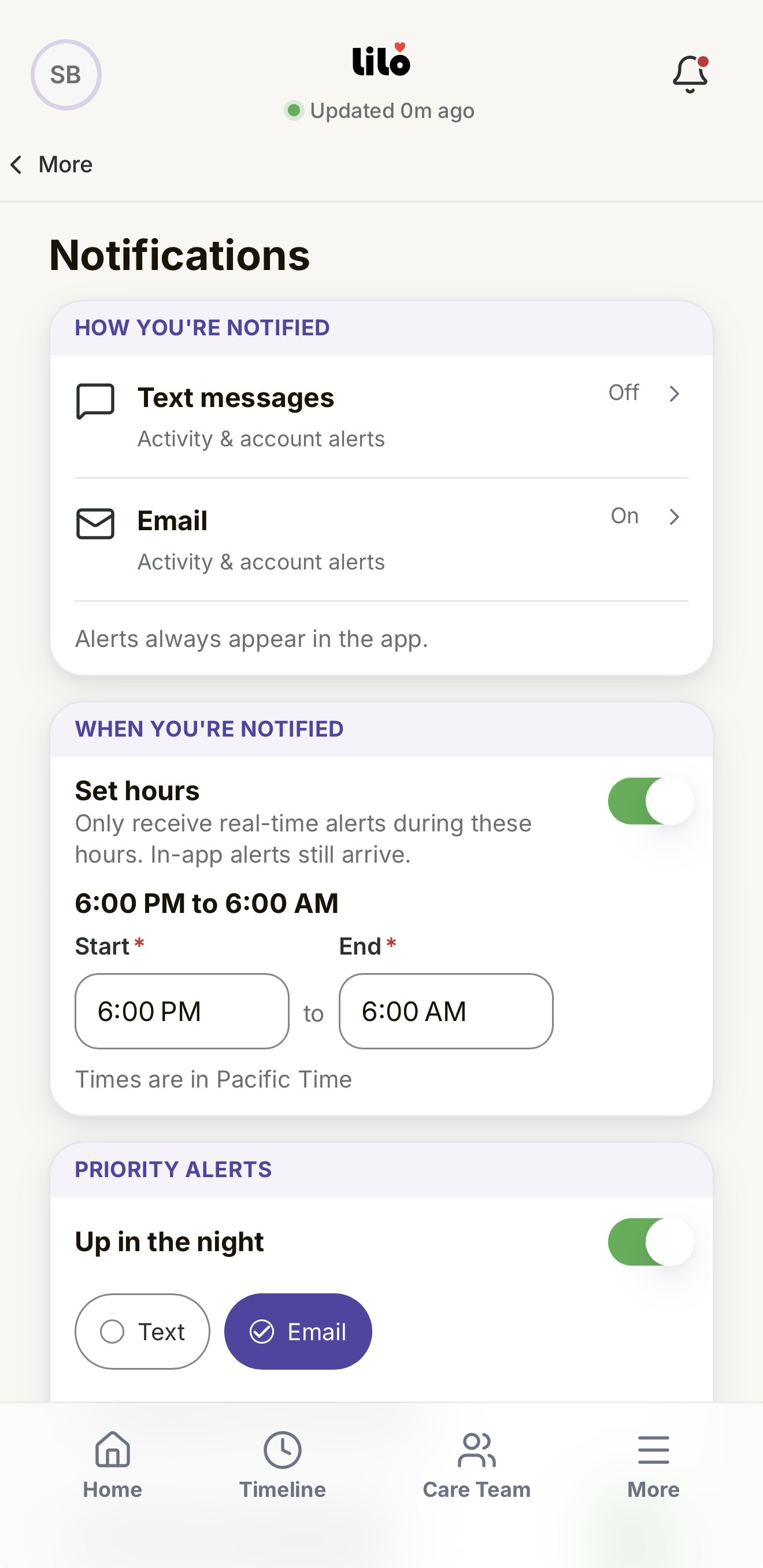
- Each alert is switched on or off on its own, and routed on its own: one by email, another by text. Nothing inherits a setting behind your back.
- A daily window, in your own time zone, for when being interrupted is welcome. Outside it the inbox still fills; only the interruption stops.
- You choose how long counts as too quiet, and how long counts as too long away. The serious alerts start switched on, and every setting is yours, not the home's.
CARE TEAM
Your Care Team
Who else can see the home, and who each of them is to it.
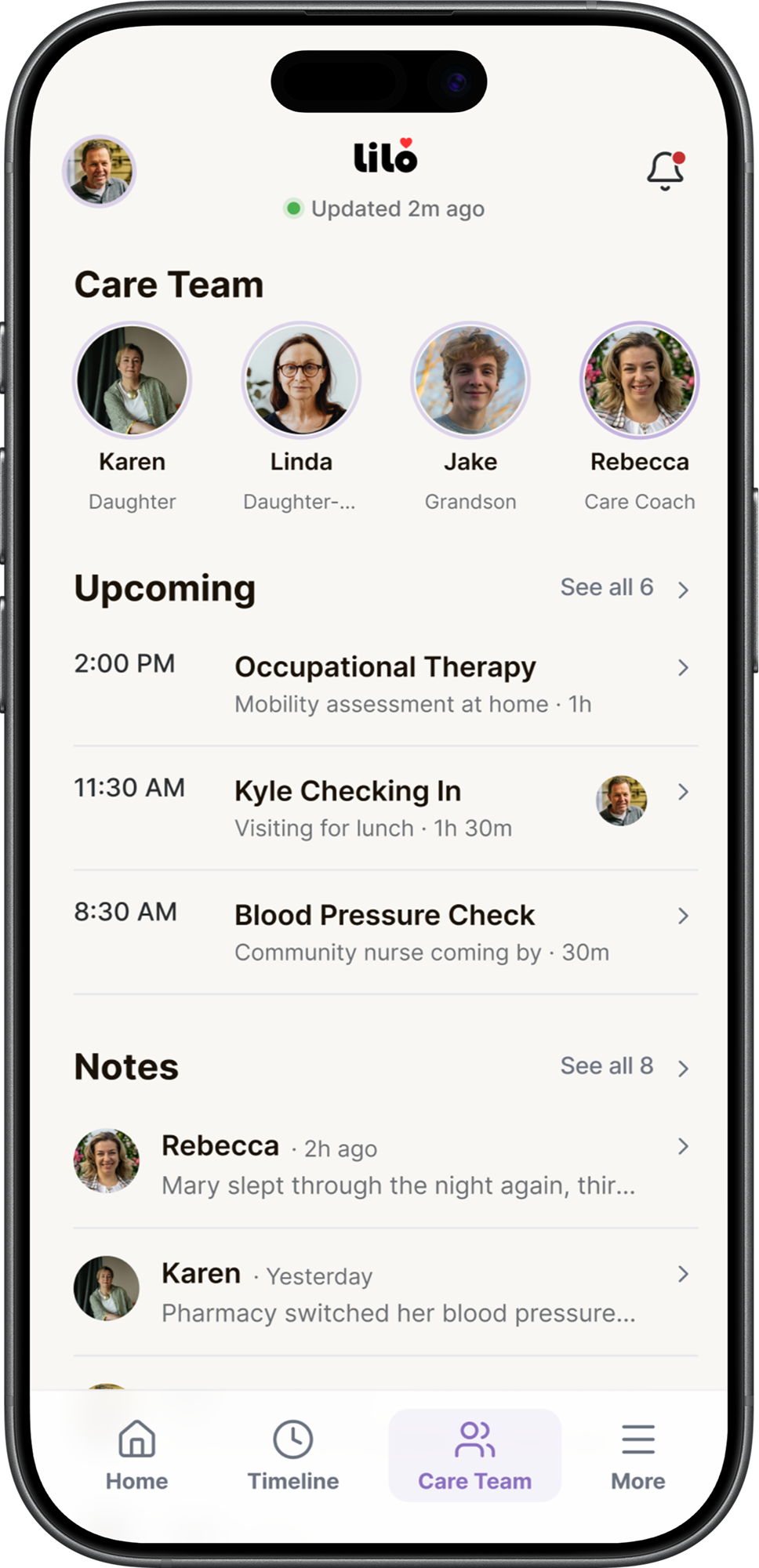
The account owner invites another Care Team Member, who then has the same app and the same access.
Scheduling covers the visits and appointments the Care Team keeps between them.
Notes are short threads shared between Care Team Members.
GETTING STARTED
A Simple Way to Start
Four steps from the first conversation to a working home in a single view.
- 1
Talk with the LiLo team
A short conversation about the home, who is in it, what the Resident needs, and who is on the Care Team around them.
- 2
We install it, once
A LiLo Health installation partner sets it up in a single visit. Nothing to wear, charge, or operate.
- 3
It learns the ordinary day
Over the first few days it learns what an ordinary day and an ordinary night look like for the Resident, building a baseline.
- 4
You stay connected
You and the Care Team the Resident chooses see a simple picture in the app, with a gentle heads-up when something changes.